Your Steam & GOG backlog, beautifully sorted.
You own hundreds of games and still spend twenty minutes deciding. Ludenza pulls both libraries into one clean view: what you're playing, how far you actually are, and what to start tonight.
- Read-only, and no password for either store
- Free forever, no ads
- Export or delete everything anytime
Signing in needs a Steam account; GOG is added afterwards, from Settings.



- 79
- players tracking their pile
- 36K
- games synced
- 414K
- hours of playtime measured
See it in action
This is the whole product.
No sign-in needed to look. Below is Ludenza's actual home screen, running on a sample library. Yours looks like this the moment your first sync lands.
Your home
28 games across Steam and GOG. Yours fills in on its own.
Continue playing

Disco Elysium - The Final Cut
13h total · 1d ago

Baldur's Gate 3
57h total · 2d ago
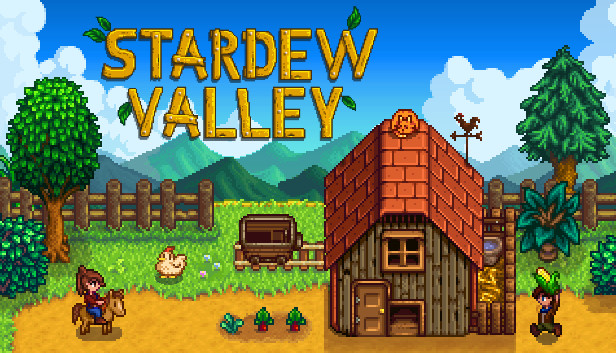
Stardew Valley
35h total · 3d ago
28
6
694
14
Library cleared
6 of 28 done
Backlog at a glance
208h
to clear the backlog
2
quick wins under 5h
14
never launched
~42w
at 5h / week
Based on 11 of 14 backlog games with a time-to-beat estimate.
What to play next

INSIDE
Loved on Steam · 9.6 · Quick win (~4h)
Features
Everything a backlog needs. None of the busywork.
Both libraries, one shelf
Connect Steam, add your GOG name, and every game you own stays current on its own. Playtime, achievements, all of it.
Progress you can trust
Your hours against how long the game actually takes to beat. Where a store doesn't track playtime, Ludenza says so instead of guessing.
An answer, not a shelf
Ludenza names the game to start tonight from your own backlog. Something acclaimed, something quick, or something you nearly finished last year.
Better with friends
Co-op games you and a friend both own but neither has started. Works with anyone on Steam, whether they use Ludenza or not.
Know your pile
Hours left to clear it, your quickest wins, how many games you've never launched, and how long that'd all take at a casual pace.
Yours to keep
Private notes on any game, filters by genre and store, and a one-click export of the lot whenever you want it.
How it works
Two minutes to set up, then it runs itself.
Connect your stores
Steam is one click through Steam itself. GOG is just your username. No password either way.
Everything fills in
Playtime and achievements land first. Ratings, genres and time-to-beat follow over the next few minutes.
Clear the pile
Start something you'll actually finish, see what you've beaten, and find a co-op game for the weekend.
Why bother
Steam sells you games. It doesn't help you finish them.
| What you actually want | Ludenza | Steam's own library | A spreadsheet |
|---|---|---|---|
| Steam and GOG in one list | Both stores, side by side | Steam only, by definition | Two libraries, typed twice |
| Stays up to date | Syncs on its own | Always current | You type every row |
| How far you are in a game | Playtime vs time-to-beat | Hours only, no finish line | Whatever you last guessed |
| What to play next | Ranked from your own backlog | Suggests things to buy | Sorting, by hand |
| Hours to clear the pile | Counted for you | Not shown | Only if you do the maths |
| Co-op neither of you has started | Any friend on Steam | Not shown | Two spreadsheets |
Questions
Is Ludenza free?
Yes, completely free and ad-free, and every feature stays free. No tier, no card, no trial. If it's useful, you can buy me a coffee to help keep it online and maintained.
How do I sign in?
One click through Steam (OpenID). No password, and Ludenza only reads your public Steam data.
Does Ludenza work with GOG?
Yes. Add your GOG username in Settings and Ludenza reads your public GOG profile. There's no password and no OAuth, because GOG doesn't issue third-party sign-in at all. Worth knowing: GOG only records playtime for games launched through Galaxy, so anything you ran outside it shows as “playtime not tracked” rather than pretending you never played it.
What about Epic, Xbox or PlayStation?
Steam and GOG today. Others may follow. The data layer already handles more than one store, so it comes down to what each of them exposes.
I own the same game on both stores. What happens?
You get both copies, each with a small store label. They aren't merged on purpose: the two have genuinely different playtime, achievements and progress, and merging would mean silently picking one and throwing the other away.
How long does the first sync take?
Your games and playtime show up within seconds. Ratings, genres and time-to-beat estimates fill in over the next few minutes while Ludenza looks each game up. You can browse the whole time, and it picks up where it left off if you close the tab.
My library shows up empty. How do I fix it?
On Steam, “Game details” has its own privacy setting separate from your profile. Set it to Public, then sync again. On GOG, your profile's games have to be visible to visitors who aren't signed in; if they're hidden, Ludenza will tell you exactly that rather than showing an empty shelf.
How does Ludenza know how far I am in a game?
It compares your playtime to how long the game takes to finish, from HowLongToBeat. Achievements are tracked separately, and multiplayer games, which never really end, show co-op or versus time instead of a progress bar.
How does it decide a game is completed?
Once your playtime clearly passes the main-story estimate, or you've unlocked every achievement, it marks itself Completed. You can set any status by hand at any time, and your choice always wins over the automatic one.
Is my data private?
Your Ludenza profile is private by default. You choose whether to share a public page, and it only ever reflects data your store profiles already show publicly.
Can I delete my account?
Yes, from Settings, in one click. It permanently removes your synced library, notes, playtime history and friends. No email to send, no waiting period.
What is a Steam backlog tracker?
It turns the libraries you already own into a clear picture of what you're playing, what you've finished, and what's still waiting, so you can decide what to play instead of endlessly scrolling. Ludenza builds that from your real Steam and GOG playtime and how long each game takes to beat.
Stop wondering what to play.
Connect Steam and your whole backlog is sorted, measured and ready in about ten seconds.
Free forever · no ads · read-only · delete anytime
Made by one person, funded by coffee, not by selling your data.